A Claude Code plugin that rewrites Claude's output style into terse, "caveman" prose. We benchmarked it across explanation-heavy, code-heavy, and mixed prompts — here's where it actually pays off and where it quietly breaks your workflow.
Verdict
Caveman is a useful output-side compression trick that pays for itself on prose-heavy work and quietly underdelivers on code. In our four-prompt benchmark on Opus (high effort), output tokens dropped 31–37% on the code and mixed prompts but went up ~30% on the explanation prompt — Caveman didn't shrink the answer, it rewrote it tersely and used the saved budget to add more sub-points. End-to-end the session ran ~34% cheaper.
The interesting finding isn't the savings number — it's the workflow regression: the same "write me a utility + tests" prompt that produced two files on disk in baseline produced an inline code dump (no Write tool call) under Caveman. Same code quality, different behavior. That's the kind of trade-off the README doesn't surface.
Recommend it for
Solo, explanation-heavy sessions where you want denser output — debugging walkthroughs, architecture write-ups, "explain this" prompts. Skip it (or toggle off) for hands-on coding sessions where you want Claude to actually create files, and for any pairing or onboarding context where readability matters more than cost.
What it is
Caveman is a Claude Code plugin (and skill bundle) by Julius Brussee. It registers a SessionStart hook that injects a terse "caveman" output style — short fragments, dropped articles, no preamble — and ships intensity levels (lite, full, ultra, plus a 文言文 wenyan variant), a statusline badge, and four sub-skills: caveman-commit, caveman-review, caveman-compress, caveman-help.
It's a style-only plugin — it doesn't reduce input tokens, only the model's prose output. Your CLAUDE.md, file reads, and tool outputs still cost what they cost. That makes it a complement to the input-side hygiene we cover in Token Mastery, not a replacement.
claude plugin marketplace add JuliusBrussee/caveman
claude plugin install caveman@caveman
How we tested
The bench lives in a scratch folder, not Claudeverse — testing inside this repo would let our CLAUDE.md and file reads dominate the input side and wash out output deltas.
mkdir ~/caveman-bench && cd ~/caveman-bench
echo "Scratch folder for benchmarking Claude Code output styles." > CLAUDE.md
Two sessions, same model (Opus), same effort level (high), three prompts each, fresh /clear between. Baseline first, then claude plugin install caveman@caveman and re-run.
The three prompts span the variance:
| Prompt | Shape | Why |
|---|---|---|
| A — debug | React 15 child re-render walkthrough | Prose-heavy, no code generation |
| B — code | TS chunk<T> utility + 6 Vitest cases | Code-heavy, control case |
| C — mixed | Cmd/Ctrl+K dialog in Nuxt 4 (files + a11y + manual tests) | Realistic mixed workload |
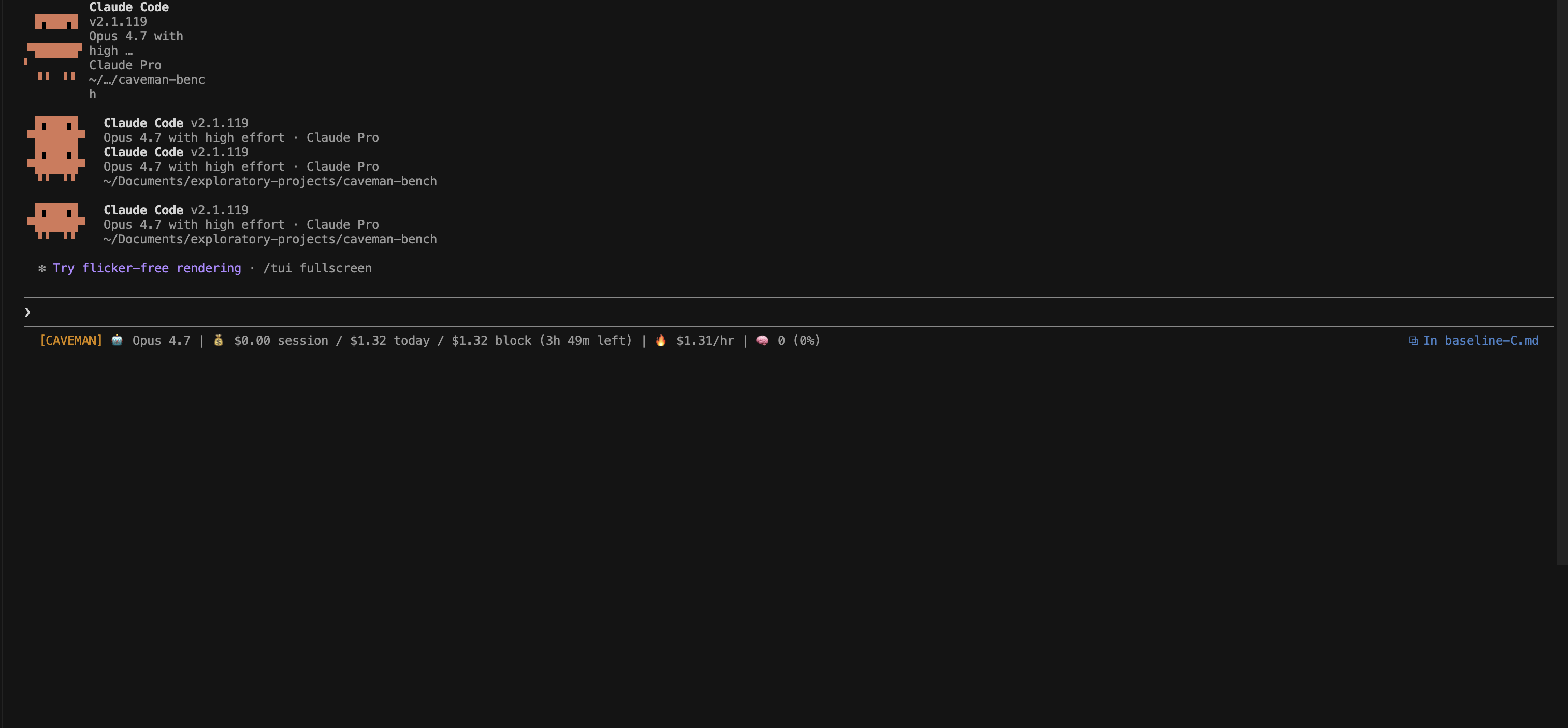
For each, we captured: the full response verbatim, /cost output, and one statusline screenshot to confirm the [CAVEMAN] badge was active.
The statusline merge
If you already use ccusage (or any custom statusline), Caveman's SessionStart hook does not overwrite it — it just writes a flag file at ~/.claude/.caveman-active. Wrap both in a script that reads the flag and prepends the badge to your existing statusline output. Otherwise the plugin runs invisibly and you can't tell which mode is active.
What we found
Token deltas per prompt (Opus output)
| Prompt | Baseline output | Caveman output | Delta |
|---|---|---|---|
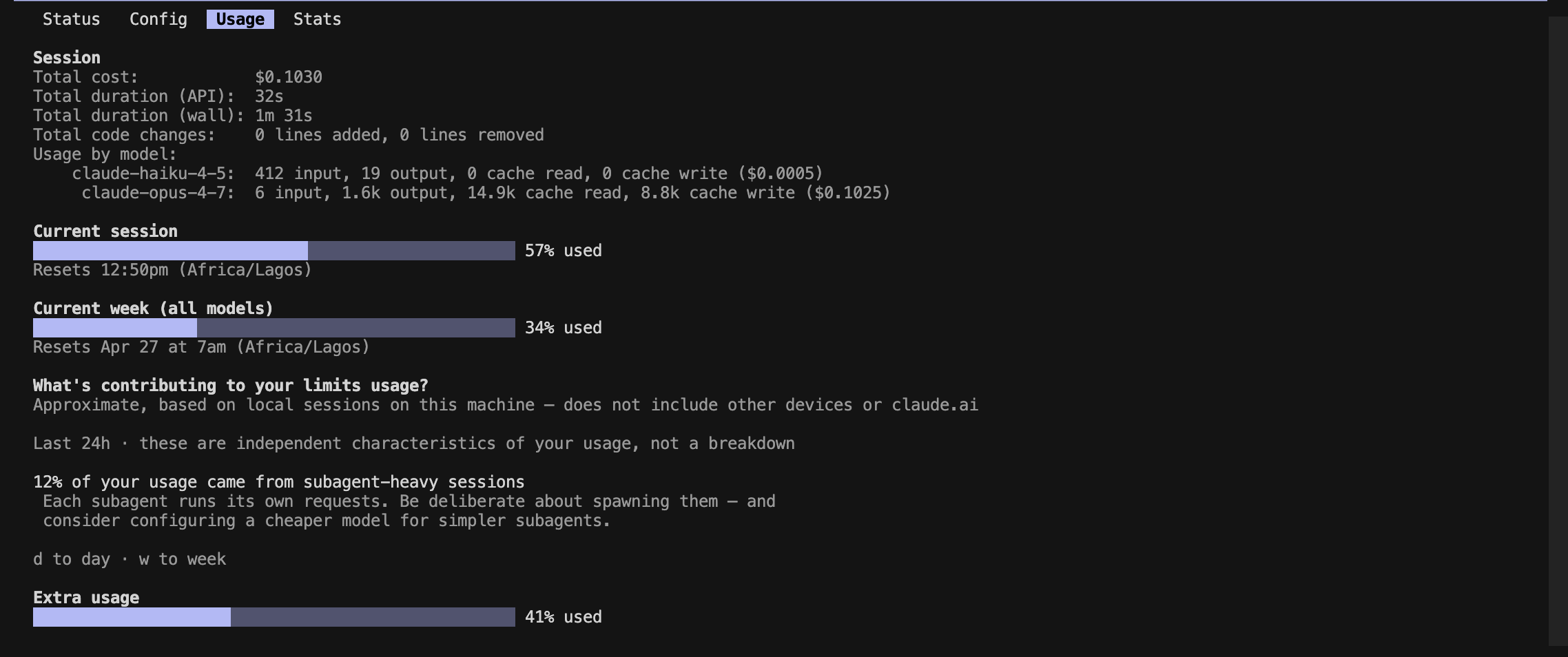
| A — explanation | ~1.0k tokens | ~1.3k tokens | +30% |
| B — code | ~2.6k tokens | ~1.8k tokens | −31% |
| C — mixed | ~6.3k tokens | ~4.0k tokens | −37% |
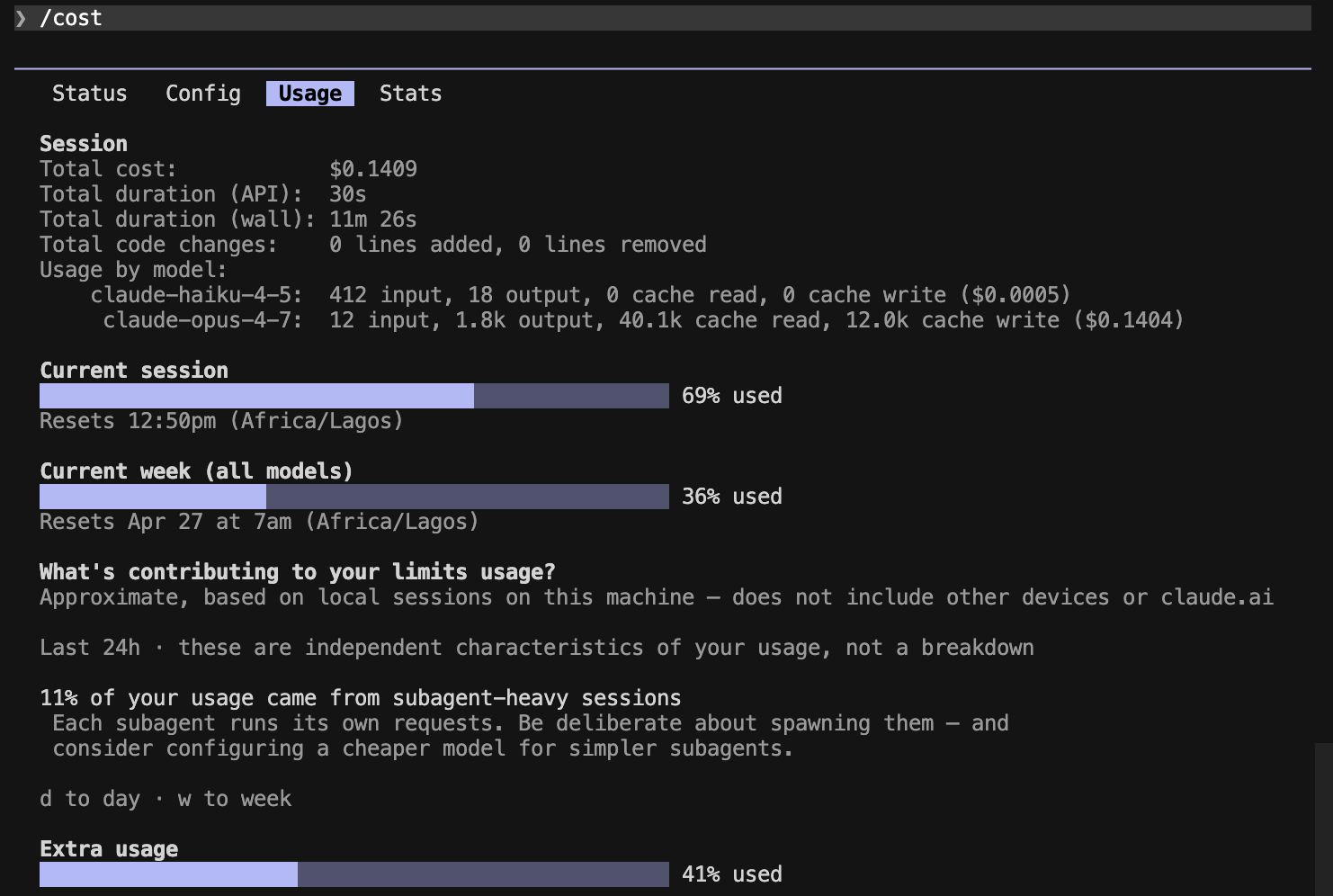
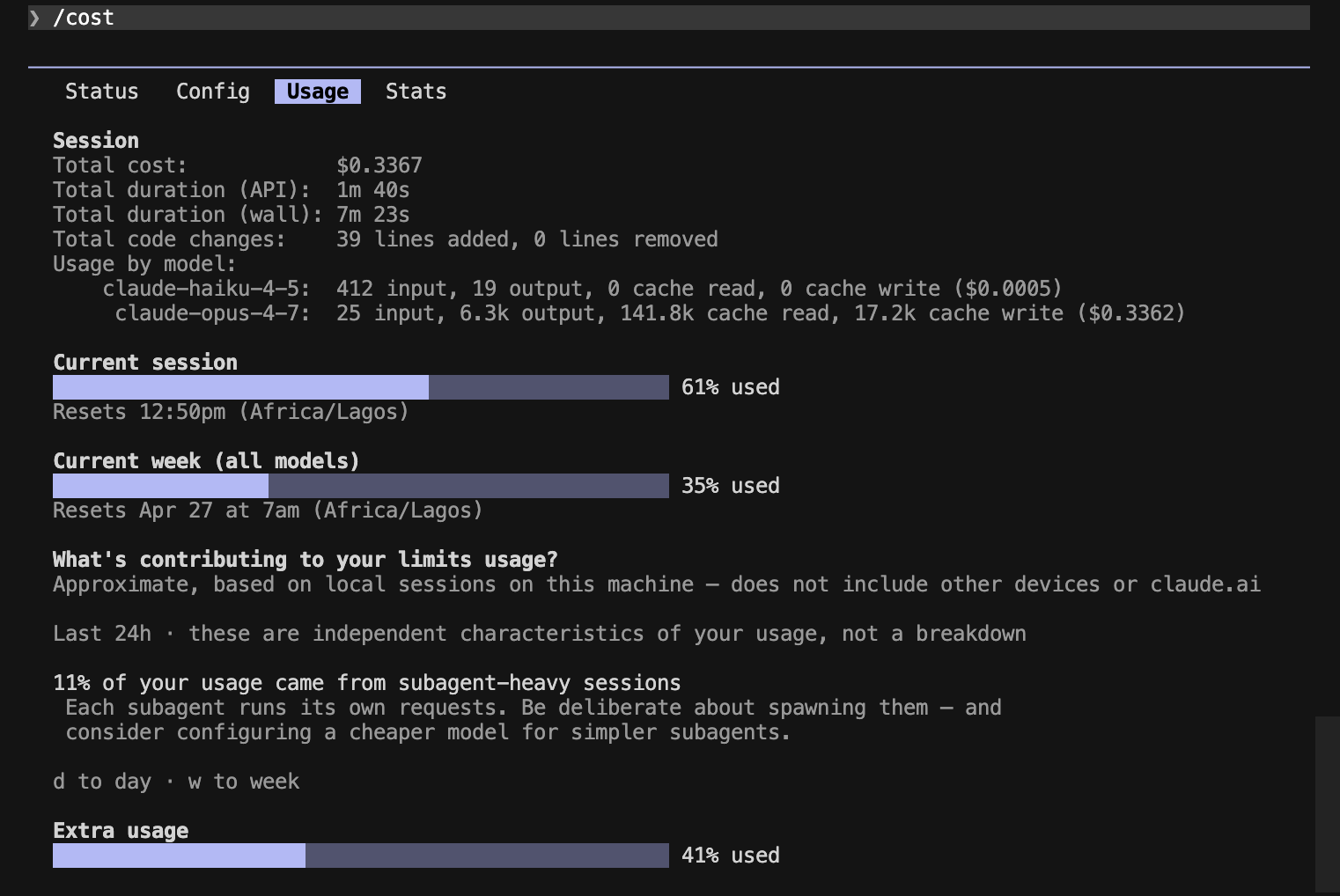
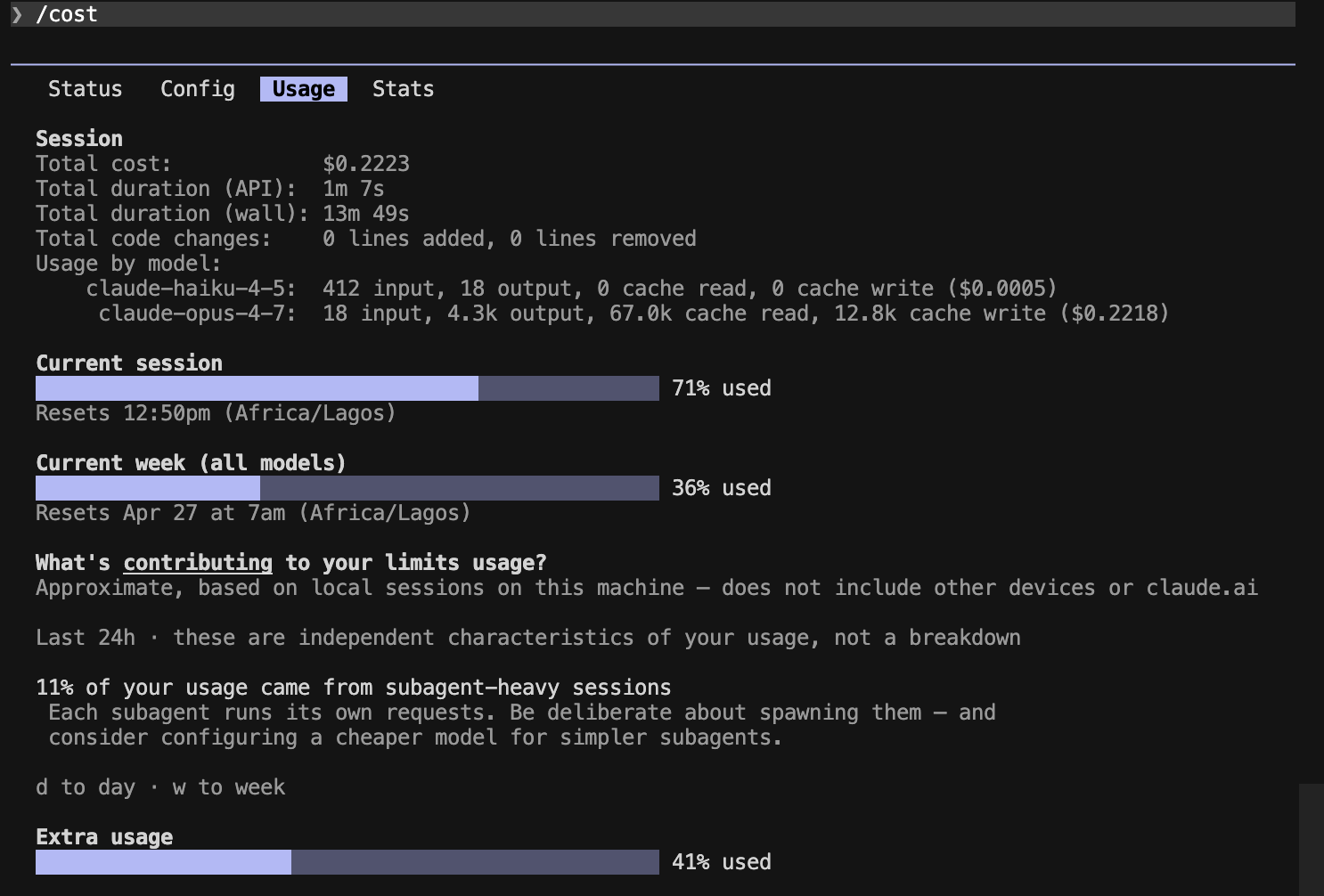
Session totals: $0.34 baseline → $0.22 Caveman (~34% cheaper end-to-end).
The Prompt A reversal was the surprise. We expected the biggest savings on the most prose-heavy task. What actually happened: Caveman covered more causes (7 vs. 6) with denser sentences, then used the saved budget to add more confirm/fix sub-points. Caveman didn't shrink the answer — it rewrote it tersely and expanded the scope with the saved tokens. That's a useful finding on its own: "denser per token" doesn't always mean "fewer tokens."
Side-by-side /cost output
Prompt A — explanation
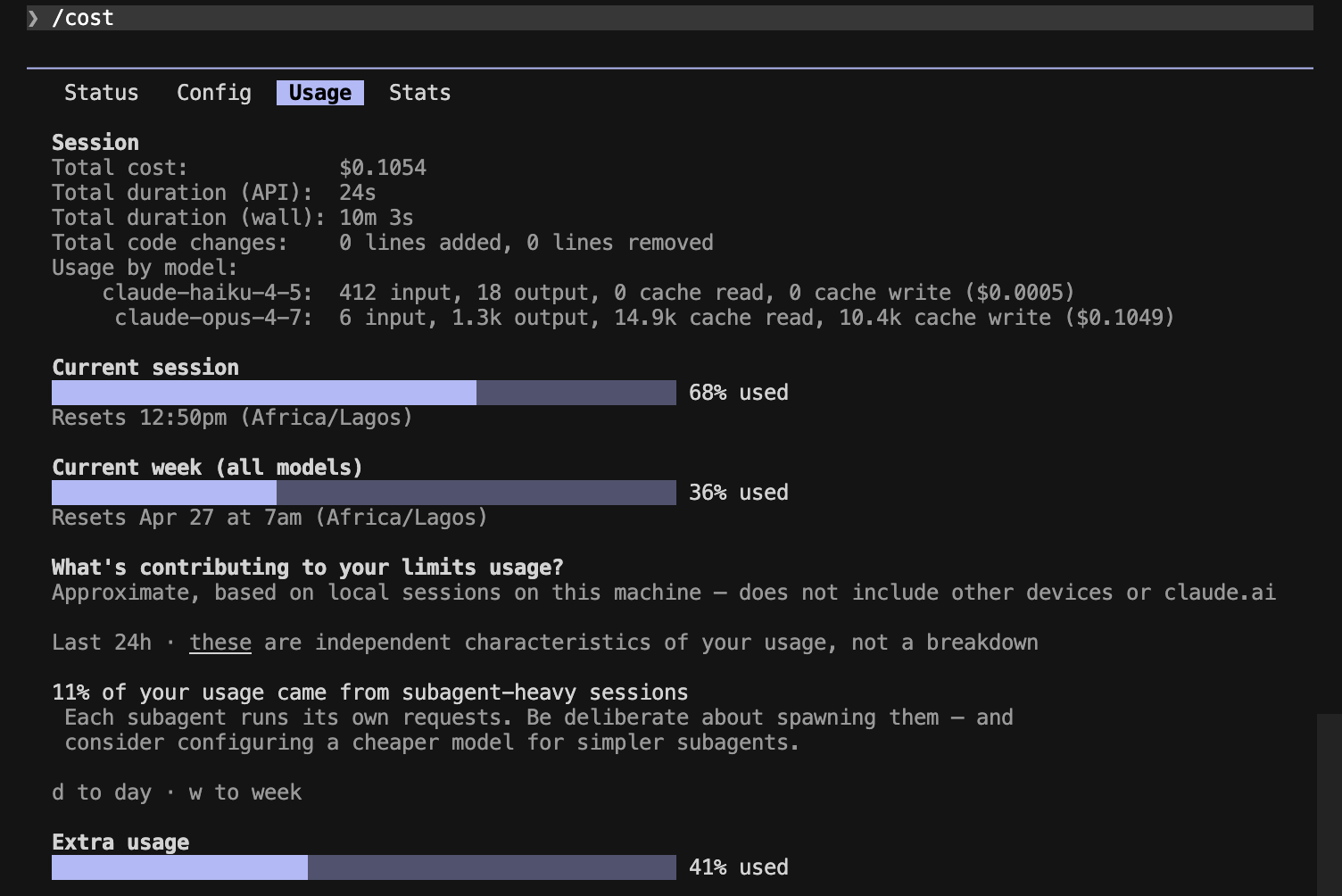
Prompt B — code
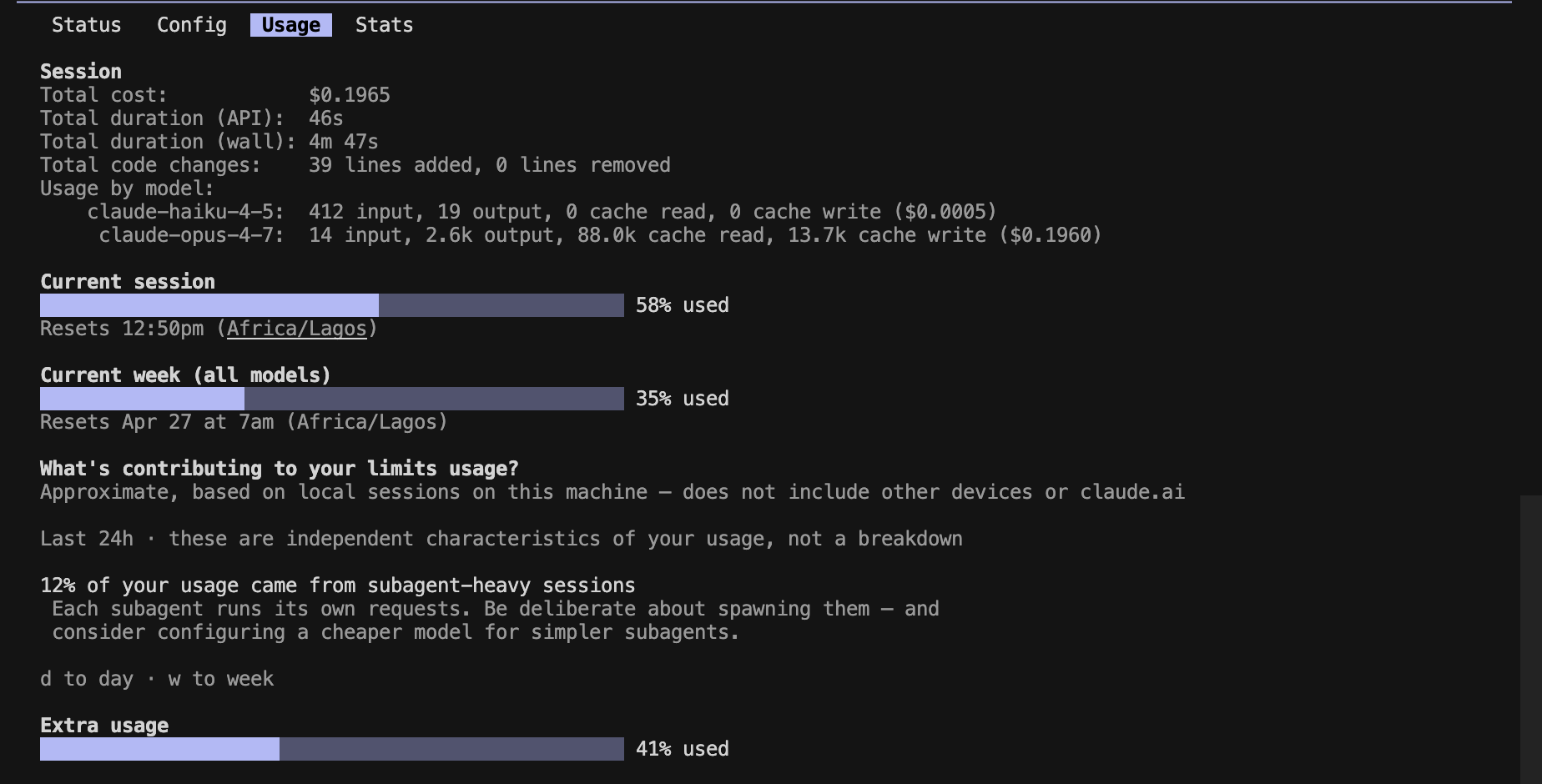
Prompt C — mixed
The file-write regression
Prompt B is where the headline finding lives, and it isn't a token-count problem.
Baseline behavior. Claude used the Write tool, created chunk.ts and chunk.test.ts on disk, then confirmed in chat:
Created chunk.ts and chunk.test.ts. The implementation uses slice in a stride loop (O(n), no mutation of input), and the test for the throw case covers both 0 and a negative value since "size < 1" includes both.
Caveman behavior. Same prompt, same model, same folder. Claude printed the full code in chat and did not call the Write tool — no files appeared on disk. The code itself was equivalent (the throw test even covered more cases), but the workflow shifted: a "write me a utility" prompt produced a code dump in the terminal instead of files in the repo.
Why this happens (best guess)
Caveman's style instruction nudges Claude toward "answer first, terse, no preamble." That style cue appears to compete with the model's tool-use bias — when the answer is "here is the code," terse Claude leans toward printing rather than doing. We did not test whether /caveman lite or :ultra change this; if you adopt Caveman for coding work, verify your file-creation prompts still trigger Write calls before you trust it.
This is the kind of caveat the README doesn't surface, and it's the headline reason Caveman shouldn't be a default in coding sessions.
When it helps / when it hurts
| Scenario | Verdict | Why |
|---|---|---|
| Solo debugging walkthroughs | Helps | Denser per token, easy to skim |
| Architecture / "explain X" prompts | Helps | Same coverage, less verbose |
| Mixed plan + code prompts | Helps | Saw the largest absolute savings (37%) |
| Pure code generation | Mixed | Real token savings, but file-write regression |
| Pairing / teaching / onboarding | Hurts | Caveman prose reads great solo and terribly when someone else has to act on it |
| Any session relying on tool calls | Hurts | Style cue can suppress Write/Edit usage |
| Junior devs learning Claude Code | Skip | Readability matters more than cost at this stage |
Re-readability is the gut check. Run a Caveman response past a teammate who didn't write the prompt: if they can act on it, great. If they have to ask "wait, what does this mean?", you're trading clarity for cost — and clarity usually wins long-term.
Try it yourself
claude plugin marketplace add JuliusBrussee/caveman
claude plugin install caveman@caveman
Confirm the plugin is active by checking the flag file the SessionStart hook writes:
cat ~/.claude/.caveman-active
# expected: full   (or whatever mode is active)
If you already have a custom statusline, Caveman won't overwrite it — wrap your existing script and prepend the badge yourself:
#!/usr/bin/env bash
# Read the active caveman mode (if any) and prepend a colored badge
# to whatever your existing statusline command emits.
mode_file="$HOME/.claude/.caveman-active"
badge=""
if [ -f "$mode_file" ]; then
  mode=$(tr '[:lower:]' '[:upper:]' < "$mode_file" | tr -d '[:space:]')
  if [ -n "$mode" ]; then
    badge=$'\033[38;5;208m['"CAVEMAN${mode:+:$mode}"$']\033[0m '
  fi
fi
printf "%s%s" "$badge" "$(npx ccusage statusline 2>/dev/null)"
"statusLine": {
  "type": "command",
  "command": "bash ~/.claude/statusline.sh"
}
Switch intensity with /caveman ultra (or lite) and the badge updates accordingly. If the .caveman-active file isn't there after a fresh session, run /caveman once manually to force-write it.
Caveats
- The 30–37% savings are a floor, not a ceiling. Our bench ran with
effortLevel: high, which generates lots of extended-thinking tokens that Caveman doesn't compress. Atmediumor default effort — where most users live — prose makes up a larger share of total output, so deltas should be larger than what we measured here. - Style hooks aren't a tokens-mastery substitute. Caveman touches output only. Your
CLAUDE.mddiet, file-read hygiene, and model routing (covered in Token Mastery) are still the bigger lever. - Plugin freshness matters. Community projects come and go. Verify the GitHub repo is still maintained before adopting on a team.
- One-data-point caveat. This bench is one user, one model, three prompts. Your workload — especially if it skews toward generation, search, or long tool-call chains — may differ. The methodology section is here so you can re-run it on your own setup.